
looking to just extract the data from the shell of the profile gamut (see sample)
with no internal colors. Just the data for the empty shell, need to create printable patches of just these colors. please advise
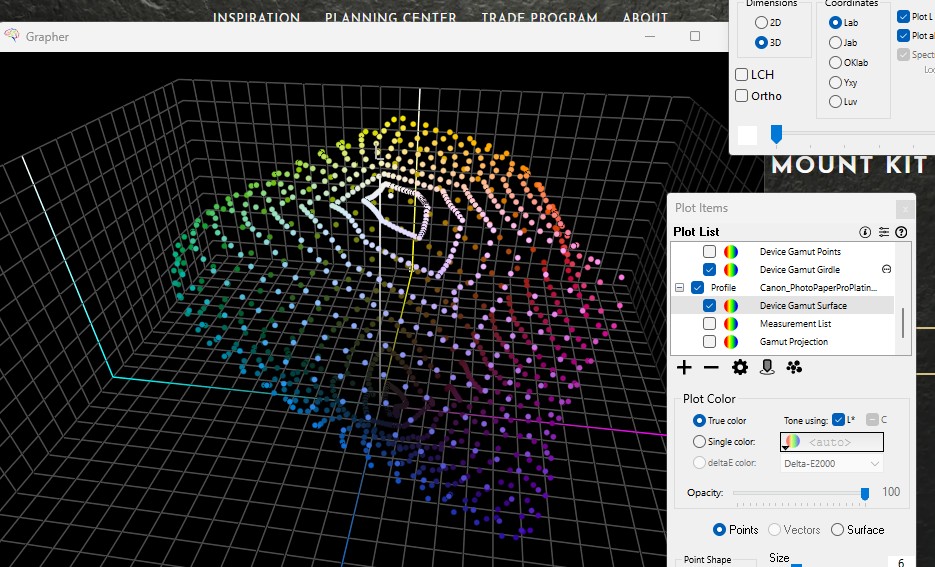
currently it exports but the complete data set for the entire profile with internal colors are included. as chromix is plotting just these colors, hoping they are called out and then can be extracted and exported as a txt file…
Hi Mary,
Apologies for the delay.
Normally when you double-click profiles in the plot item list, the profile opens into the Profile Inspector…
There’s a certain technique to get access to the gamut surface points themselves:
-
option/alt double-click on the plot item while it’s graphing the surface points that you want - the list will open into the Worksheet.
-
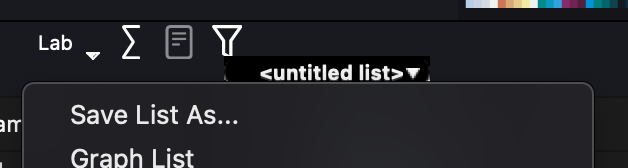
click on the name/popup menu and save the file:
Steve
thanks for your reply what I am looking at doing is not something which ColorThink can help me with.
So i am writing my own app now. when i am done would like your thoughts.